

Who can access your data
Organization and team roles govern access to conversations, knowledge, connected apps, and automations. Organization membership alone does not grant access to another person’s private conversations, requests, or restricted documents. Permission checks apply in the browser and through API, command-line interface (CLI), and hosted MCP access. Flow checks access before returning connected knowledge in search or AI answers. The available sharing rules depend on the connected source and its configuration. Asking Flow about a document does not grant access to it. Your organization can connect its identity provider for single sign-on (SSO) and manage sign-in policies there. Flow roles and team permissions determine what each person can do after signing in. See Permissions and Identity and directory.Keeping AI actions within your rules
Before an AI-proposed action runs, Flow checks the person’s permissions, the connected app’s scope, and any required approval. A model response cannot grant access or bypass those checks. You can require approvals for sensitive work while keeping routine requests self-service. The approval rules configured for an action apply when AI proposes it too. Automations run a fixed published version in isolated environments. Connected-app credentials stay out of conversations and automation code. Flow screens inputs for suspicious instructions, with permission and approval checks enforced independently of the model.How Flow protects stored data and files
Flow encrypts data in transit and at rest. Uploaded and imported files are private and stay unavailable to people, automations, and AI until malware checks return a clean result. Flow-hosted storage is in the United States. Database backups are kept for 30 days and support restoring data to an earlier point in time. Flow’s release process includes code review and automated checks for exposed secrets, vulnerable software, and coding risks.Reviewing what happened
Administrators can review security and administrative activity in the audit trail, including permission changes, approvals, and support access. Records show who acted, what happened, and the outcome. Selected security events can also be forwarded to your monitoring tools. Flow applies redaction controls to keep secrets and access tokens out of ordinary monitoring data. Audit records retain the identities needed to understand who performed an action. ServiceNow support access through the Flow application is time-limited, scoped, and recorded in the audit history. These sessions expire automatically and can be revoked. See Audit and API access.Administrative controls
Organization administrators can:- Configure SSO and directory sync under Settings → Identity
- Manage organization roles and team access
- Scope, rotate, and revoke API keys and manage connected-app permissions
- Review activity under Settings → Security & permissions
- Turn off Flow’s responses under Settings → Global AI settings → Flow availability
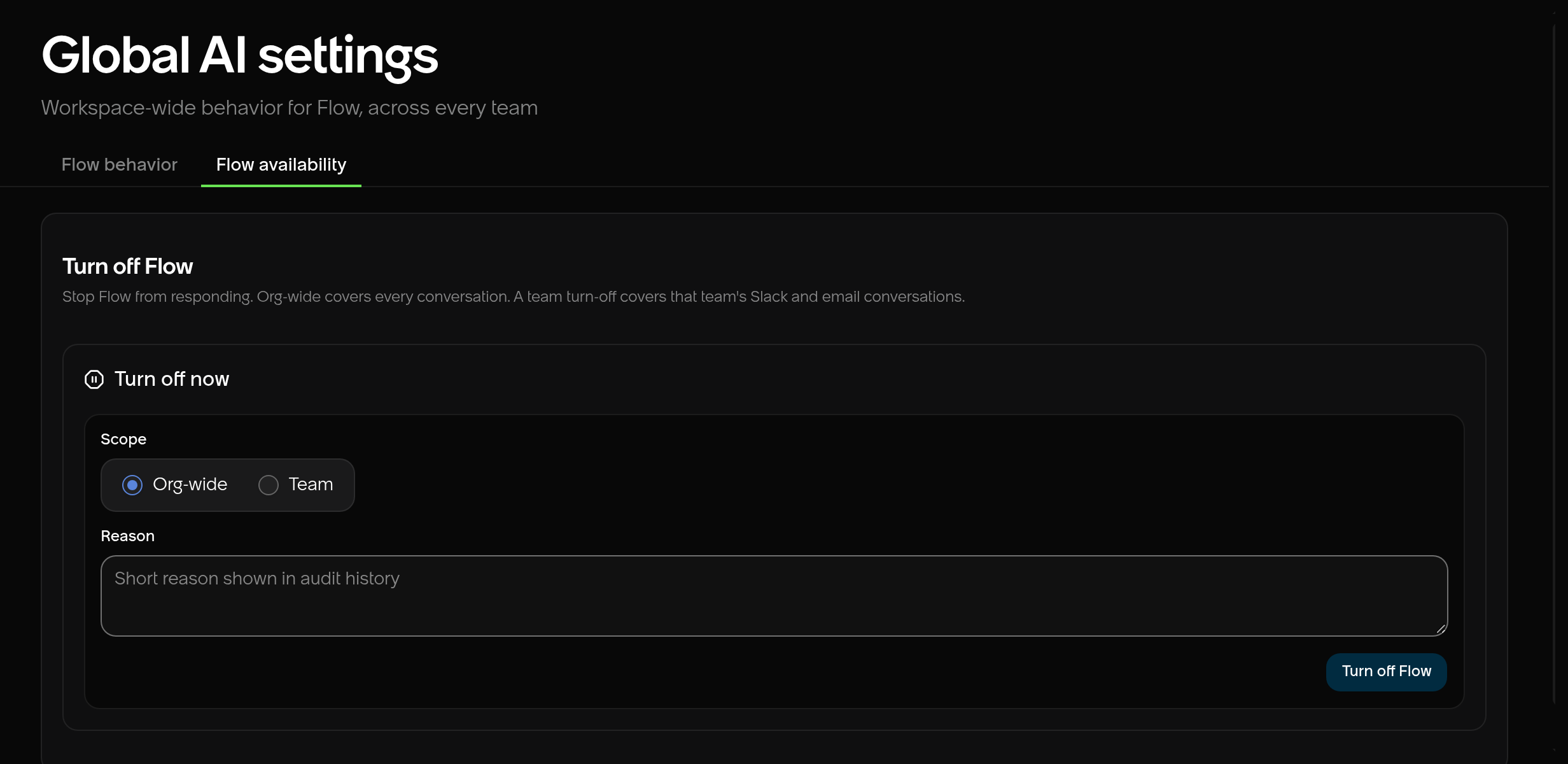
Flow availability under Settings → Global AI settings.