

Visual automation and code
Flow creates a visual automation first. Open Code when you want to inspect or extend the generated code.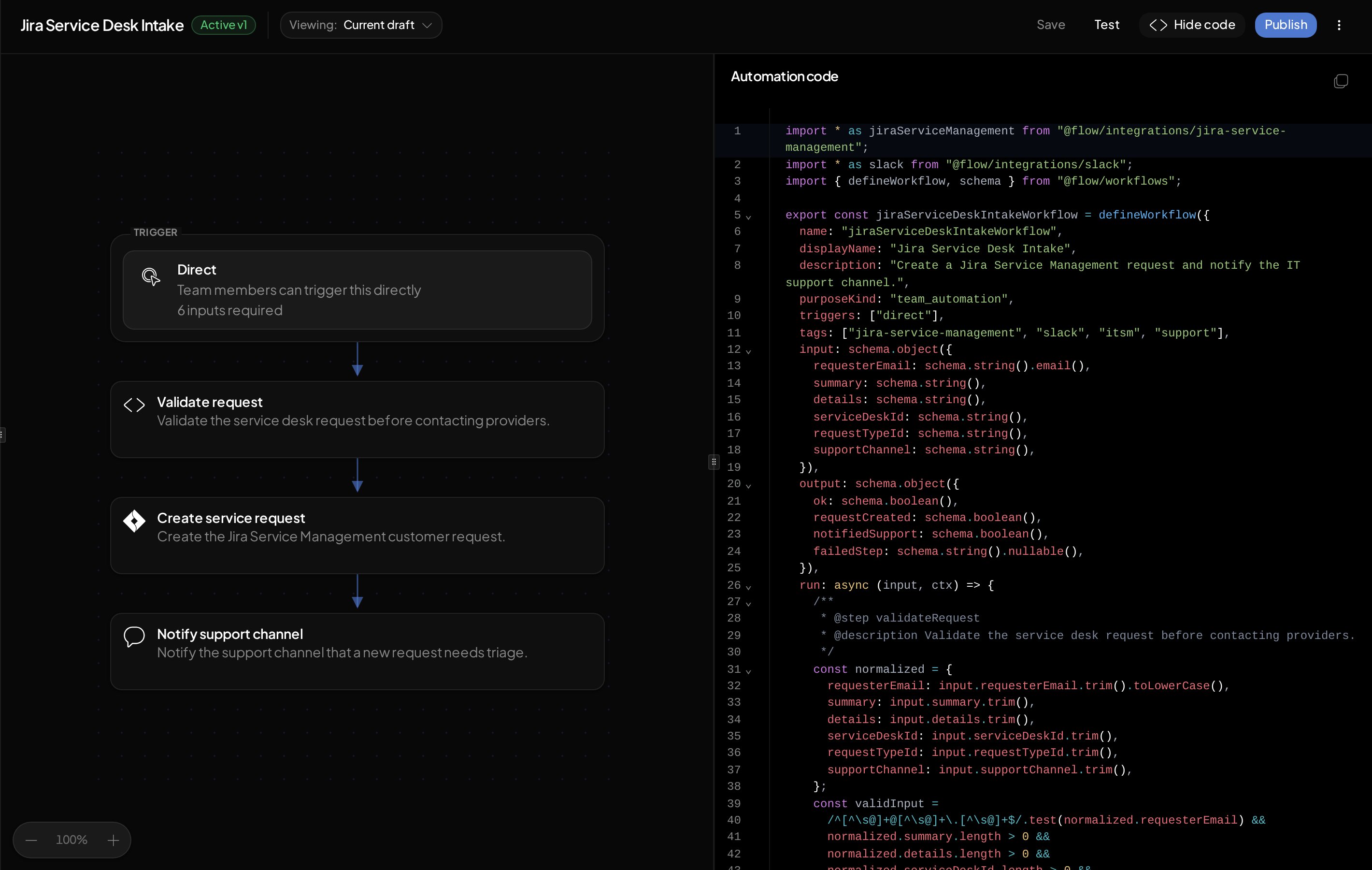
Core pieces
Inputs
Inputs are the fields a run needs before it starts. Flow uses them to create the request form and to exercise Validation scenarios and draft runs. Examples:Steps
Steps describe the work in order. A step can validate input, request approval, call an integration action, or prepare the output.Integration actions
Integration actions are the provider operations the automation can call, such as:- Create a Jira Service Management request.
- Add a user to a Google Workspace group.
- Post a Slack message.
- Create a PagerDuty incident.
Flow actions
Flow actions read or update data that Flow owns, such as a ticket or asset. They use the automation run’s identity and team permissions and do not require a provider connection. Use Flow actions for the available imports, helpers, and authoring rules.Outputs
An automation computes its result once. Output surfaces control who can consume that result:- API: The canonical structured result for applications and integrations.
- Conversation: A requester-facing result in a supported Flow-managed conversation, including Slack.
- MCP: A structured result for an authorized MCP caller.
Triggers
A trigger is how a run starts. Flow supports multiple entry points depending on how the automation is exposed:
Use Trigger automations for entry-point setup.